

- PERL.org
- CPAN.org: Perl archives Comprehensive Perl Archive Network
- perl.com- O'Reily links
- Perl 5 Desktop Reference Guide
- CGI ResourceIndex.com - Lots of CGI
Hello World CGI example: /var/www/cgi-bin/hello.cgi
#!/usr/bin/perl
print "Content-type: text/html\n\n";
print "<html><body>\n";
print "<h1>Hello World</h1>\n";
print "</body></html>\n";
Note:
- The file must be executable: chmod +x /var/www/cgi-bin/hello.cgi
- Start the web server: service httpd start
- Access through the url: http://localhost/cgi-bin/hello.cgi
- The above paths reflect Red Hat/Fedora/CentOS. For Ubuntu and other Linux distributions see the YoLinux.com Web site configuration tutorial for the Apache web server configuration.
Form CGI example:
| HTML source | Perl CGI |
|---|---|
<html>
<body>
<form action="http://localhost/cgi-bin/form.cgi"
      method="POST">
  <p>
  Text:
  <input type="text" size="20" name="TextLine">
  <input type="submit" name="Button" value="Submit">
  </p>
</form>
</body>
</html>
|
#!/usr/bin/perl
print "Content-type: text/html\n\n";
print "<html><body>\n";
print "<h1>Form Info:</h1>\n";

my($buffer);
my(@pairs);
my($pair);
read(STDIN,$buffer,$ENV{'CONTENT_LENGTH'});
@pairs = split(/&/, $buffer);
foreach $pair (@pairs)
   {
   print "$pair<br>\n"
   }
print "</body></html>\n";
|
- Extra handling is required for URL "+", ASCII conversion of spaces "%20" and other web encoding.
- CGI POST method uses stdin.
- CGI file name: /var/www/cgi-bin/form.cgi
| HTML form | Results |
|---|---|
|
Form Info:
TextLine=Hello Button=Submit |
The beauty of running PHP on Linux is that Linux distributions provide an integrated Apache web server, PHP and supporting packages which are configured to work together. The term LAMP is often used to describe the following quartet of integrated software:
- Linux
- Apache (httpd server)
- MySQL (database)
- PHP
PHP Information and Links:
- PHP.net:
- PhpNuke.org - Database driven web publishing system. Requires PHP3 (use Apache module mod_php3), MySQL database, Apache web server. Contents creation and management of site is through the browser.
- Zend
- CodeIgniter - PHP Model-View-Controller framework
- PHPGroupware.com - Groupware suite written in PHP. It is also an API from which to build other systems.
- ASP to PHP conversion
- OnLamp.com - O'Reilly Linux/Apache/MySQL/PHP portal
- Turck-mmCache - pre-compile PHP
- Graphs and Images:
- PHP Frameworks:
- CodeIgniter - MVC framework for PHP
- CodeIgniter
- Zend
- Symfony
- PHP IDE's:
- Eclipse plug-ins:
- Commercial IDE's:
- Python.org
- Jython.org: Python with a Java interpreter engine. This allows Python run on any machine which has a Java interpreter.
- Sourceforge: Jython
- ModPython.org - Apache module for Python
- Web Template Frameworks:
- EZT - Use Python EZT module to process HTML templates (.ezt files).
EZT syntax tutorial - Genshi - generate HTML or XML
- ClearSilver - written in C to support Python, Ruby, Perl and Java as a module.
- EZT - Use Python EZT module to process HTML templates (.ezt files).
- IDE:
- PyDev - Eclipse plug-in
- Netbeans for Python
Learn Python:
Ruby On Rails: Rails uses the Model-View-Controller (MVC) architecture pattern and contains Javascript libraries, AJAX libraries, and RESTful web services. Rails relies on a web server to run it. Rails can be run with Apache (and Lighttpd) using CGI, FastCGI, mod_rails or with a dedicated platform server.
Other Ruby Frameworks:Groovy is a scripting language with Java like syntax with features inspired by Python, Ruby and Smalltalk. Groovy seemlessly integrates with all existing Java objects and libraries as it is compiled into Java bytecode and runs in a JVM.
Javascript was originally intended to run in a web browser until the Google Chrome Javascript engine was isolated to develop the NodeJS framework for running Javascript on the server. Limitations include a lack of threads.
- ECMAScript - Javascript standards organization
- NodeJS - Google Chrome's V8 Javascript engine server side framework
The simplest form of CGI scripting is with bash shell scripts. While the scripting language has full access to system commands, its lacks in parsing constructs and reies on tools such as sed or awk.
- YoLinux tutorial on Bash shell CGI scripting
- YoLinux tutorial on using Bash with ISINDEX for CGI (ISINDEX is old and not supported by all browsers)
"Tool Command Language" (Tcl) pronounced as "tickle" is a scripting language most often coupled with Tk for rapid prototyping of GUI applications. Tcl has not made notable headway in the world of CGI scripting.
First introduced as a graphics library for Tcl, Tool Kit (Tk) has been integrated with Perl, Python and Ruby. This is also true for other GUI frameworks like GTK (see the YoLinux.com Python PyGTK tutorial) and Qt. Tk is used for GUI scripting and not web server scripting but is included here because it is makes scripting languages like Tcl, Perl, Python and Ruby so versatile. Here is a comparison of the use of Tk in Perl, Python, Ruby and Tcl to create the following graphical "Quit" button:

Perl:
#!/usr/bin/perl
use Tk;

# Main Window
my $mw = new MainWindow;

my $but = $mw -> Button(-text => "Quit",
                -command =>\&push_button);
$but -> pack();

MainLoop;

#This is executed when the button is pressed
sub push_button {
        exit;
}
The file must be executable: chmod +x btn.pl
Run: btn.pl
Links:
Python:
Note: Requires the RPM package tkinterfrom Tkinter import * root = Tk() example = Button(root, text="Quit", command=root.destroy) example.grid() root.mainloop()Run: python btn.py
Links:
Ruby:
require 'tk'
root = TkRoot.new()
button = TkButton.new(root) {
  text "Quit"
  command proc { exit }
}

button.pack()

Tk.mainloop()
Run: ruby btn.py
Links:
Tcl/Tk:
button .b -text "Quit" -command {exit}
pack .b
Run: wish btn.tcl
Links:
Tk Links:
- Zope.org - Zope.com - Content management and collaboration
- ArsDigita - TCL scripts, Oracle database and the AOL web server - (commercial but open source) - Content management, collaborative commerce, personalization, marketing and analysis.
- OpenACS.org: Open ArsDigita Community System (ACS) for Web publishing - Open version (doesn't use Oracle) of ArsDigita using TCL scripts, the AOL web server and Postgress.
- SteelBlue - Cold Fusion inspired web development environment.
- ChiliSoft - Commercial product to support Microsoft Active Server Pages (ASP) on Linux.
- Macromedia/Allaire: Coldfusion - Commercial product. Build, publish, content management.
- DevShed.com - Zope, PHP, Perl... developers resource.
- CGI101.com - CGI Scripting basics
- CGI-Index.com - CGI resource - code listings
 Books:
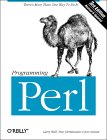 |
"Programming Perl"
by Larry Wall, Tom Christiansen, Jon Orwant ISBN # 0596000278, O'Reilly & Associates This book teaches you PERL and is also a good reference. |

|
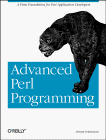 |
"Advanced PERL Programming"
by Sriram Srinivasan ISBN # 1565922204, O'Reilly & Associates
|
|
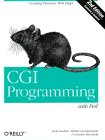 |
"CGI Programming with PERL"
by Gunther Birznieks, Scott Guelich, Shishir Gundavaram ISBN # 1565924193, O'Reilly & Associates
|
|
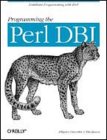 |
"Programming with PERL DBI"
by Alligator Descartes, Tim Bunce ISBN # 1565926994, O'Reilly & Associates
|
|
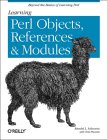 |
"Learning PERL Objects, Refences and Modules"
by Randal L. Schwartz, Tom Phoenix ISBN # 0596004788, O'Reilly & Associates
|
|
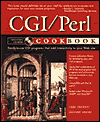 |
"CGI/Perl Cookbook"
by Craig Patchet, Matthew Wright ISBN # 0471168963, Wiley, John & Son This book is full of code snippets which you can put together for your own needs. |
|
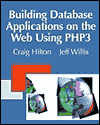 |
"Building Database Applications on the Web Using Php3"
by Craig Hilton,Bjorn Borud,Jeff Willis ISBN # 0201657716, Addison Wesley Longman
|
|
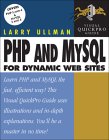 |
"Php3 and MySQL for Dynamic Web Sites"
by Larry Ullman ISBN # 0321186486, Peachpit Press
|
|
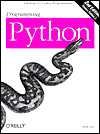 |
"Programming Python: Object-Oriented Scripting"
by Mark Lutz,Foreword by Guido Van Rossum ISBN # 0596000855, O'Reilly & Associates
|
|
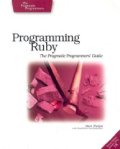 |
"Programming Ruby: The Pragmatic Programmers Guide, Second Edition"
by Dave Thomas, Chad Fowler, Andy Hunt ISBN # 0974514055, Pragmatic Bookshelf; 2nd edition (October 1, 2004)
|
|

