

| TSO Command | Linux/Unix Command | Description |
|---|---|---|
| LISTC | ls ls -l (include more file info) |
List directory contents |
| EDIT file-name | nano, ex, sed, vi, xedit, xemacs,dtpad | Edit a file. |
| HELP | man man -k subject-key-word |
Display manual on command. Display list of commands related to key word or subject |
| FORT | f95 gfortran |
Fortran compiler |
| LINK | ld | GNU Linker |
| RUN | To run an executable on Linux simply type the name of the executable. If it is an executable, the system will run it. | |
| SUBMIT | command& fg bg jobs |
To submit a job to run in the background, append an apmersand to the command. The commands bg, fg and jobs are bash shell commands. Third party batch ques can also be set up in Linux. |
| LIST | cat more less |
List the contents of a file to the screen |
| LISTCAT | ls | List members of a partitioned dataset has no direct equivalent. Use "ls" to list files in a directory |
| LOGON user-id | su - user-id | Login as a different user. (Switch User) |
| LOGOFF | exit | Exit session. |
| TIME | date | Show date and time |
| SEND | mail talk wall |
Send message to a user |
| RENAME | mv | Move/Rename a file |
| DELETE | rm | Delete/remove a file |
| ALLOC | Allocate a dataset. Not necessary on Linux/Unix. The touch file-name command will create an empty file if necessary. | |
| FREE | Not required as Unix file systems do not allocate extra space for a file. Unix only uses what is needed | |
| TEST | gdb | Debug program. Must compile with the "-g" option. |
| Mainframe file type | Linux equivalent | Description |
|---|---|---|
| CLIST | Shell script | Bourne (sh), C-Shell (csh or tcsh), PERL |
| OBJ | file-name.o | Object file |
| FORT | file-name.f | Fortran source file |
| PREFIX1.PREFIX2.PARTITN(DATASET) | directory-1/directory-2/file-name.extention | There is no equivalent to the Mainframe partitioned dataset. The closest concept is a heiarchy of directories with files held in the directory |
| TSO Symbol | Unix Environment Variable | Description |
|---|---|---|
| &SYSUID | $USER | User ID |
| &SYSPROC | $SHELL $HOME/.bashrc /etc/profile |
Shell and default environment definition. |
| &SYSPREF | $HOME | System prefix/Home directory. |
| &LASTCC | Most recent return code. Unix return code of "0" is a return from a successful execution. | |
| &SYSDATE &SYSTIME |
DATE=`date` | Command in back quotes substitutes the result of the command into the variable. See date man page for formats available. Time is a reserved bash shell word. |
| TSO Statement | Unix/Linux | Description |
|---|---|---|
| SET | set | Set variable value. |
| IF-THEN-ELSE-END | if-then-elif-fi | If block |
| DO-WHILE-END | while-do-donw | Loop construct |
| READ | read | Read input |
| WRITE | printf echo |
Write output |
| RETURN | return | Return from script |
| GOTO | goto label: | Jump to location in code. |
| EXIT | exit | Terminate execution. |
| OPENFILE ALLOCATE GETFILE PUTFILE CLOSFILE |
<> touch file-name < > or >> ? |
File handlers. |
See the bash man page for lots of detail on shell scripting on Unix/Linux.
- Uneclipse: SPF interface and SPF/UX editor for Linux - Commercial product
- x3270 - 3270 Emulation on Linux
- SPF Editors - SPF Editor on Linux
- Hercules mainframe emulator - Mainframe virtual machine which runs on Linux. Run an IBM mainframe OS and applications on your Linux computer.
- REXX
- Object REXX - REXX for Linux
- WrkGrp.com: Workstation Group: (Commercial platform migration products)
 Books:
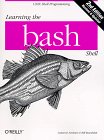 |
"Bash"
by Cameron Newham, Bill Rosenblatt O'Reilly & Associates, ISBN# 1565923472 This book is a great bash shell script book. |

|
 |
"UNIX Power Tools"
by Jerry D. Peek, Tim O'Reilly, Mike Loukides O'Reilly & Associates, ISBN# 1565922603 This book is a requirement for any serious system administrator or developer. One of my favorite UNIX books. |
|
 |
Z Journal
The Resource for Users of IBM Mainframe Systems. z/Journal is the only independent magazine dedicated solely to IT professionals in organizations using IBM mainframe computer systems (e.g. System z, S/390). |
Free Z journal Subscription |

